If you can imagine it, your toy can do it.
One of the most powerful pattern engines anywhere. Journeys from a minute to three hours, built from phases with shapes, rhythms and frequency glides on two channels, exact at every second. Describe it in words, draw it with your finger, record it live on the touch pad, keep every version, and play it back whenever you want.
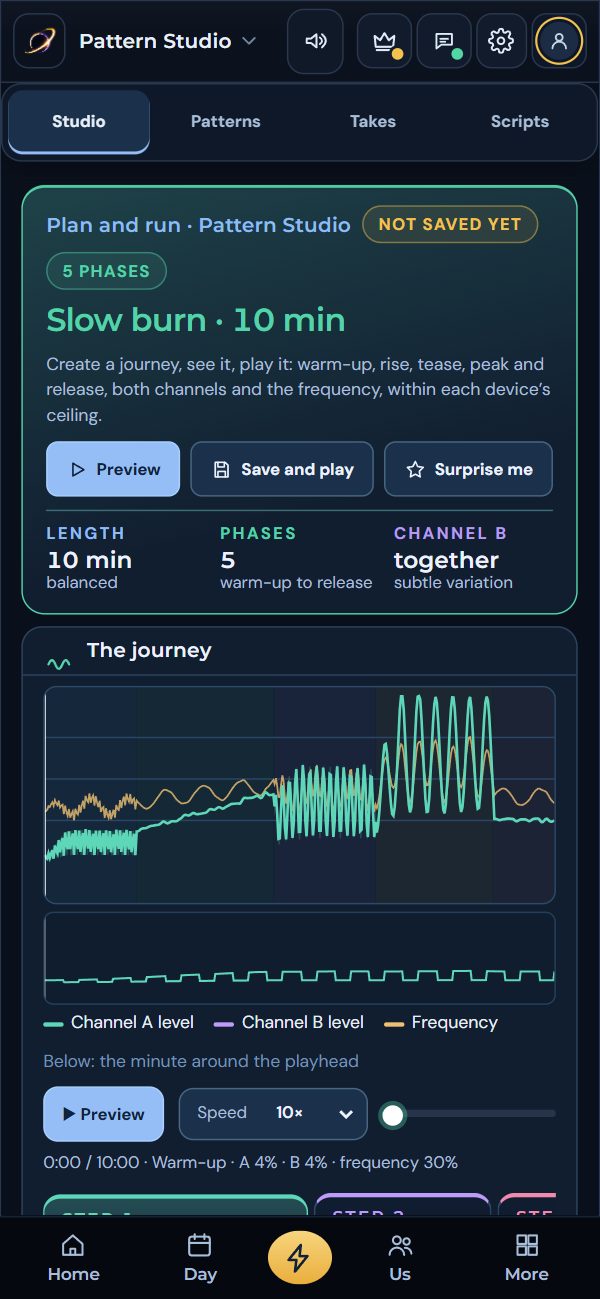
Compose one. Draw one. Keep it.
Pick a starting recipe and a character, or switch to the touch pad and draw a take with your finger: up is the level, across is the frequency. Save it and play it back. On an Android phone, switch on “Feel it” and your phone buzzes with the pattern.
What the toy is doing right now.
The eight starter patterns, and your own. Tap one to play it.
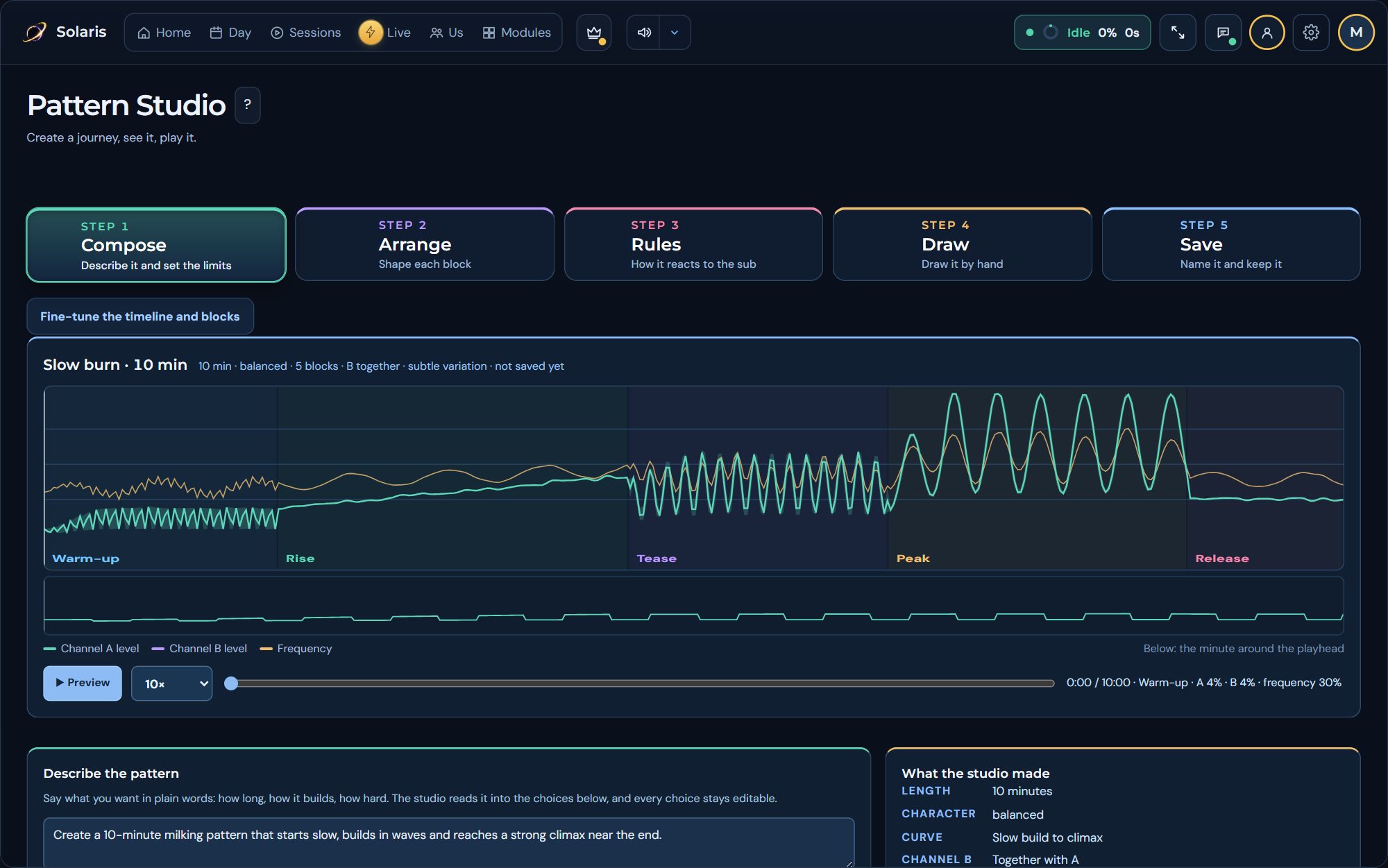
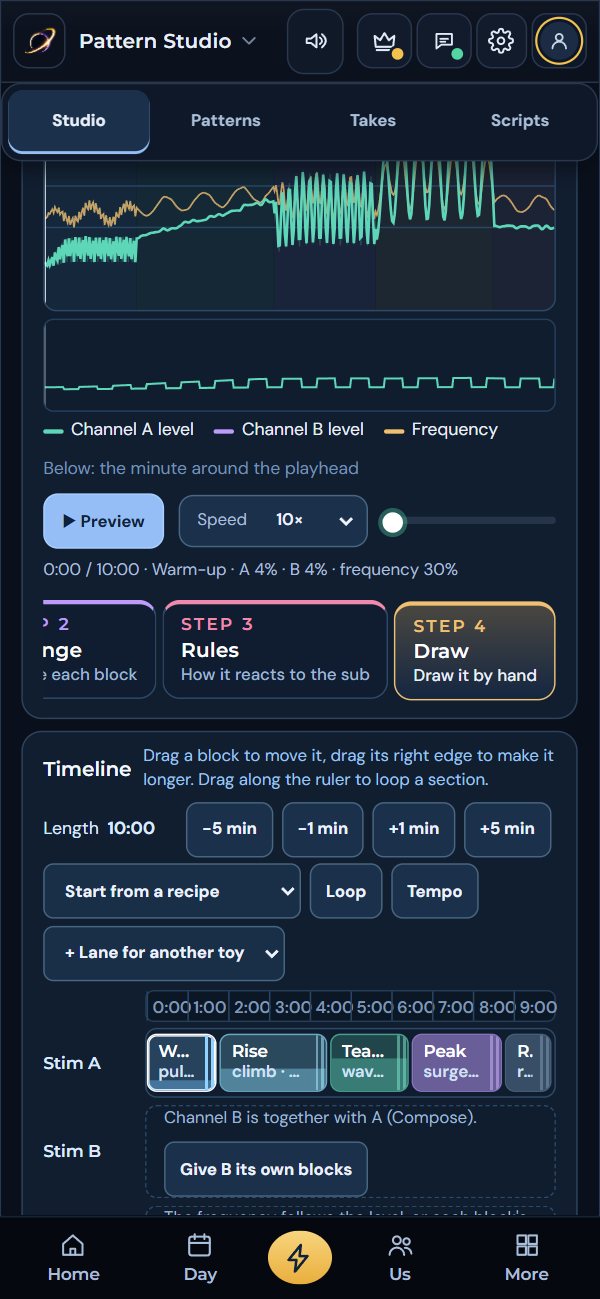
Five steps, always previewed.
The whole journey is drawn at the top of every step and redrawn on every change, with a close-up of the minute around the playhead, and you can scrub it or play it at up to 300 times speed. What you see is exactly what the toy receives.
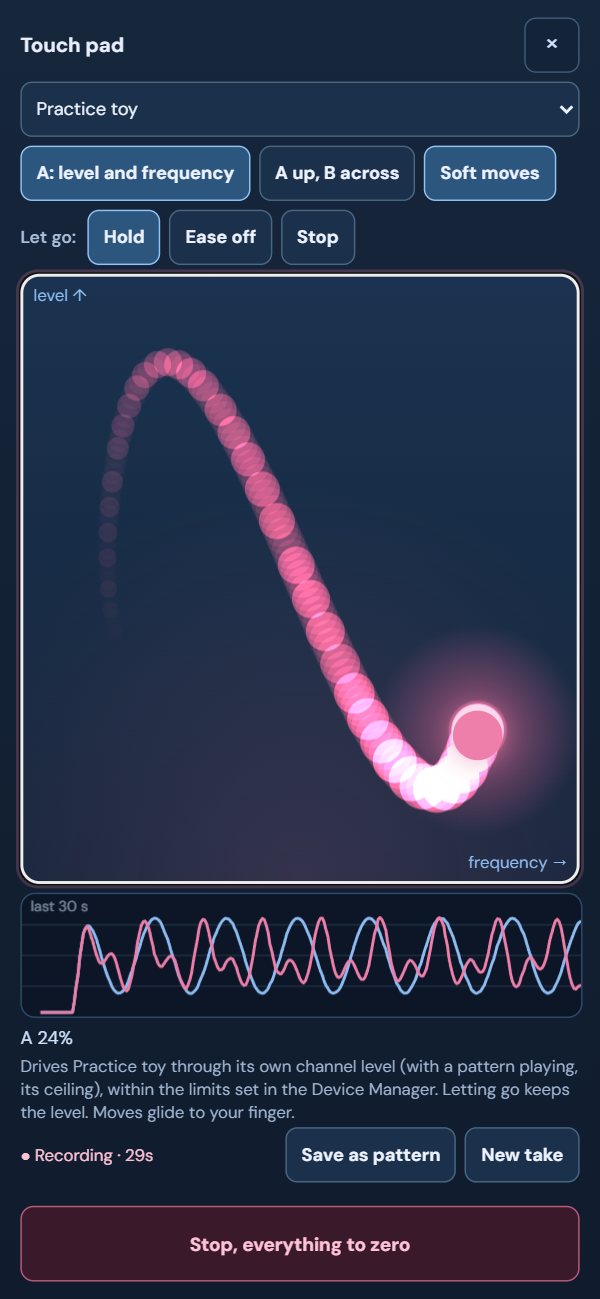
Your finger is the toy.
Hold and move: up and down is the level, across is the frequency, or the second channel. The toy follows your finger, inside every limit, and lets go to zero the moment you do. Every take is recorded, so the twenty minutes you just spent teasing your partner can be saved as a pattern and played again whenever you like.
Let the song drive.
A toy does not have to follow a curve you drew. It can follow what you are listening to.
From an audio file
Turn any audio file into a pattern from its loudness, then keep it, edit it and play it back.
Live sound
Give a channel the live audio input and the toy follows the sound in the room as it happens.
Patterns in beats
Set a tempo in Pattern Studio and the rhythms count in beats, so a pattern can keep time with a track.
397 toys. Search for yours.
This is the app’s own catalogue of toys its Bluetooth engine recognises: 3 tried on real hardware, 55 checked in simulation, the rest recognised by name. Vibrators, strokers, plugs, rings, eggs and machines connect over Bluetooth; e-stim boxes, pressure sensors and Intiface reach many more. And your toy does not have to be on this list at all: add a smart hub and any toy with a cheap remote can become a smart toy.
E-stim
Two channels with their own levels, frequencies and limits, often the punishment channel.
Pressure sensors
A live reading of how close you are, the best source for the Edge signal and the games.
Smart plugs and switches
A machine, a fan, a light: put it on a smart plug or give it a web address and it becomes part of a session. See how →
Any remote toy
Add a smart hub and Solaris Link can learn a radio or infrared remote and send its buttons, so a toy with no app follows a session, step by step. See how →
Can Solaris control my toy?
A guide in the app for every kind of toy: how to tell, what you need and where it stops.
Practice toy
No toy yet? Add a practice toy and try sessions, patterns and the touch pad with nothing connected.
Intiface
Hundreds more devices through the Intiface app on your computer.
My toys
Set a toy up once, name it, and recall it in any preset.
Limits on everything
Every toy has a maximum you set, and nothing in Solaris can go past it.
Make it move exactly how you want.
Compose it, draw it, record it with your finger, play it back forever.