Add a smart hub, and any remote toy becomes a smart toy.
That little fob that came with your machine, vibrator or egg has no app and no Bluetooth, and a phone or computer cannot send its signal. A smart hub such as the BroadLink RM4 Pro can. The hub learns your remote and Solaris tells it what to press, so a toy that cost next to nothing runs real sessions, edges and denials, games and scenes.
You will need a smart hub such as the BroadLink RM4 Pro, and a Windows computer running our free Solaris Link. What to buy
Solaris cannot reach your toy alone. A smart hub can.
Your toy only listens for the radio or infrared signal from its own remote, and a phone or computer cannot send that. A smart hub is a small Wi-Fi box that can. You buy it once, and it can learn more than one remote.
 SolarisThe session picks the next speed.
What to buy for your toy
A key fob or remote
The usual remote for machines, eggs and vibrators.
You buyA radio hub such as the BroadLink RM4 Pro. Check it covers your remote’s frequency.
Point it like a TV remote
If it has to aim at the toy, it is infrared.
You buyAn infrared hub such as the BroadLink RM4 mini. The RM4 Pro does infrared too.
A machine on the wall
A machine, a pump, a milker, a fan or a lamp. On and off only, with no speed.
You buyA Tapo, Shelly or Tasmota smart plug. No hub needed.
Anything with a link
Add it as a webhook switch, with Faster and Slower addresses too.
You needA device or smart home that can be switched by calling a secure web address.
Solaris Link learns remotes through BroadLink hubs. Another brand of hub can join if your smart home gives its buttons a secure web address.
The hub does the pressing. Solaris decides when.
A session asks for a level. Solaris works out which speed step that is on your toy and tells the hub to send Faster or Slower until it gets there. At a denial the hub sends Off, and when the session comes back it sends On. Nobody has to touch the fob. Pick a session and change the steps to match your remote.
A demonstration, sped up, with no hub or toy attached. The curves are the app’s own session simulations, and the staircase uses the same sum the app uses.
It came with four buttons. Now it can do all this.
Once your hub has learned it, your remote toy is a toy like any other in Solaris. Sessions, games and scenes do not care what it cost.
Every session
Speed follows the session, step by step, across all thirty-seven sessions and anything you write yourself.
Edging and denial
Off at every denial, off at every rest, and back on when the session says so. Pair it with the Edge signal and it stops when you get close.
Games
Red light, green light, Time bomb and the rest can switch it on and off as they play.
A second toy
Give it a part: the main toy, or the machine running behind a Bluetooth toy, with e-stim on the punishment channel.
Your partner in charge
When your partner takes over your session from their phone, your machine follows what they do.
Machine limits
Cap the fastest speed and set how slowly it may speed up, whatever a session asks for.
Modes
If your remote has a mode button, Solaris can step through the modes too.
Saved with your scene
Keep it in My toys, and one press puts it back with every other toy, limit and pattern.
All Stop
One tap sends Off through the hub, up to three times over if you ask. Keep the real remote or the plug in reach as well.
Teach it each button once.
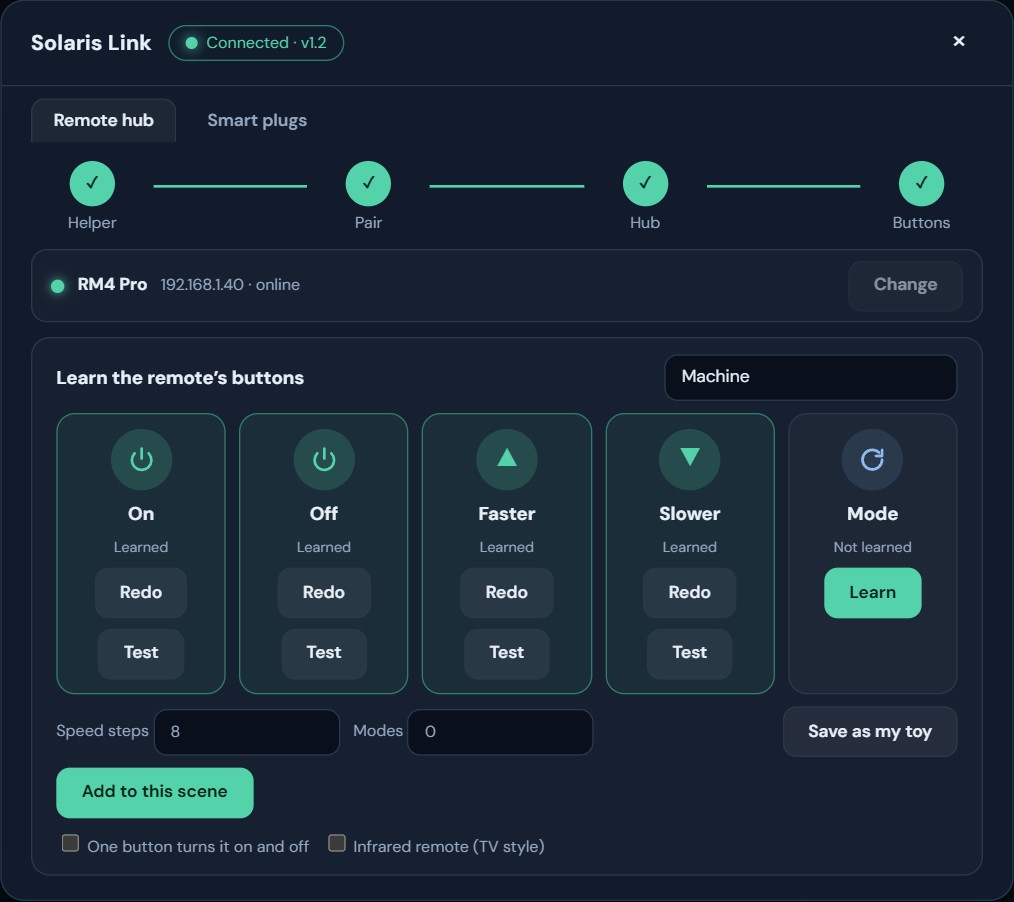
Solaris Link is a small free program for your Windows computer. It connects Solaris to your smart hub over Wi-Fi. The hub listens to your real remote once, then sends the same signal whenever a session needs it.
Set up your hub
Get your smart hub on the same Wi-Fi as your computer with the BroadLink app, then turn off its Device lock.
Install and pair
In Solaris, open the Device manager and press Remotes, then download Solaris Link and type the code it shows.
Find your hub
Press Find hubs in Solaris Link and choose yours.
Learn the buttons
Name the remote and press Learn on each button. Hold the real button near the hub, let go, then tap it once.
Set the steps and test
Tell it how many speed steps your toy has, press Test, and save it as one of your toys.
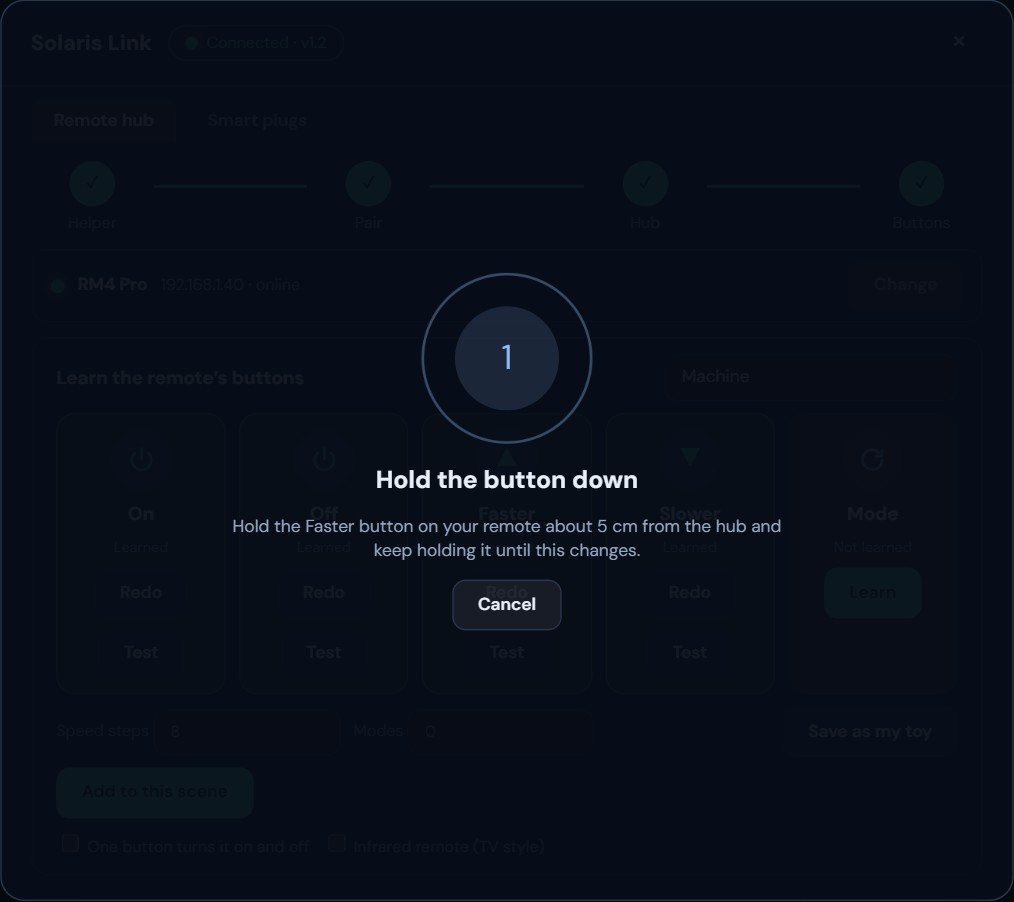
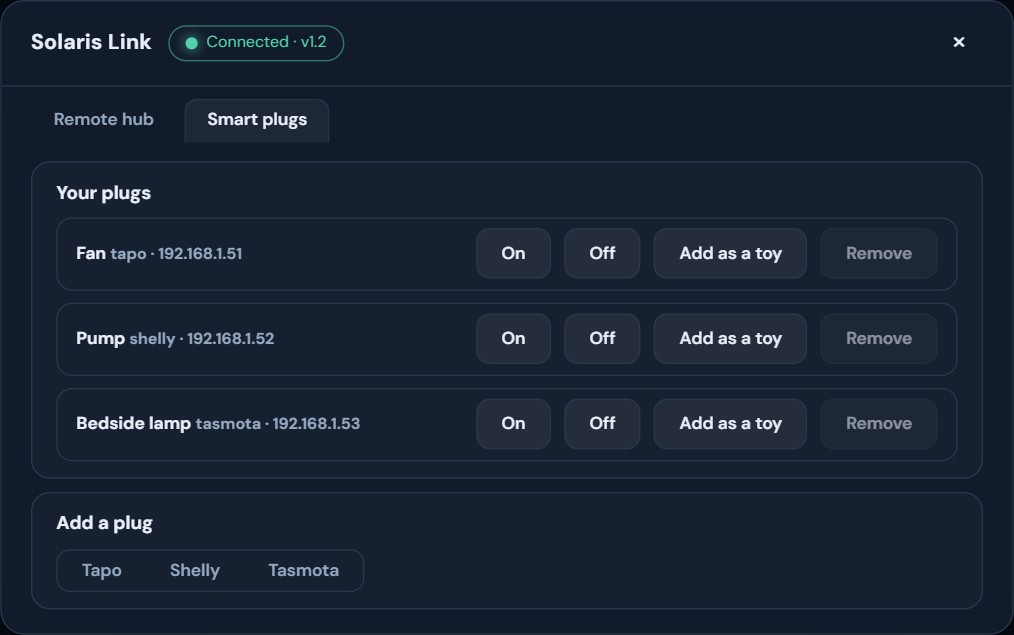
The real screens, filled in with example names.
What to expect.
Solaris is sending signals through a hub to a toy that was never built to answer back, so it pays to know where that stops.
Radio and infrared toys need a smart hub. Hubs and smart plugs both work through Solaris Link on a Windows computer on the same Wi-Fi, with Solaris open in Chrome or Edge on that computer. A phone cannot press the buttons on its own.
Plain fixed-code radio and infrared can. Remotes with rolling codes or on 2.4 GHz cannot be copied. Most are 433 MHz, but some RM4 Pro hubs do not cover 315 MHz, so check before you buy. Toys that pair over Bluetooth connect directly anyway.
If someone uses the real remote during a session the count can drift. Stop and start the toy to put it back in step.
A remote moves in the steps it has, and a plug is only on or off. On the touch pad your finger presses Faster and Slower for you, so a machine follows a moment behind it.
If the computer, the hub or the Wi-Fi drops out, the toy keeps doing what it was last told. Keep the real remote or the plug in reach, and never connect anything that could hurt you if it stayed on.
Someone who is restrained should have a person in the room and a way to cut the power that does not depend on Solaris.
Your cheapest toy just got clever.
Add a smart hub, teach it the buttons once, and Solaris does the rest.